
B2B SaaS | Customer Experience | 2022
Jumpcloud Service Accounts
Manage your organization’s API Keys easily with Admin Portal Service Accounts.

ABOUT THE PROJECT
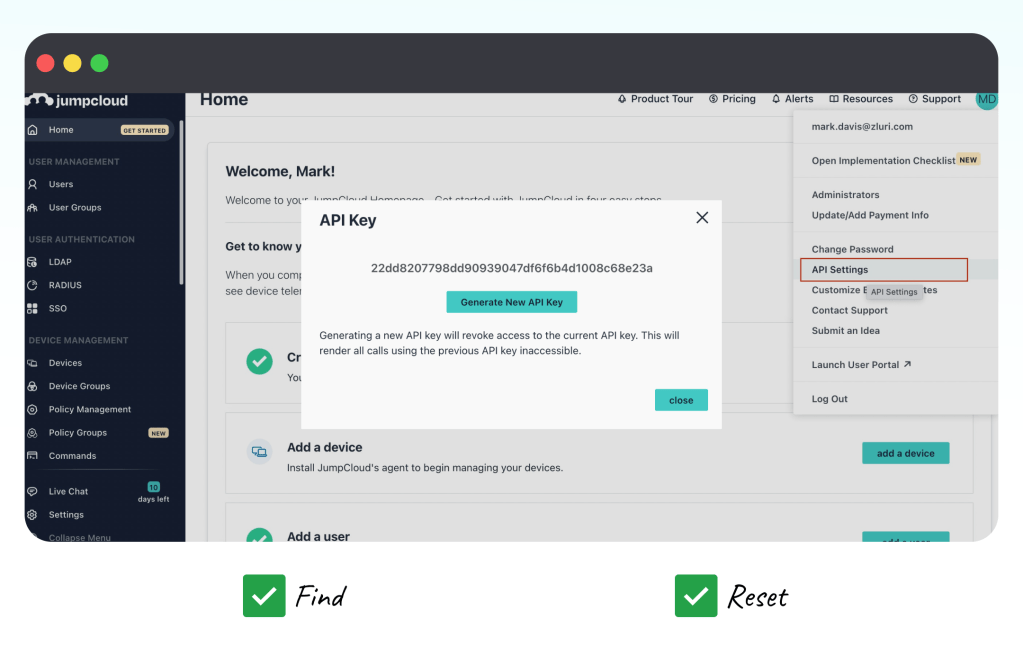
Jumpcloud API Keys are critical for customers to manage commands, systems, and system users. These keys can be found and reset within Jumpcloud’s Admin Portal as an “administrative” user. While this makes it easy for organizations with 1 administrator, what if an Admin Portal organization has multiple administrators?
How can we optimize API Key management to allow larger organizations to track individual API keys, understand usage data, and diagnose and resolve issues?
MY ROLE
Responsible for leading design efforts, conducting research, creating design artifacts, contributing to Agile workflow, presenting to stakeholders, and ongoing developer support.
TEAM DETAILS
Customer Experience Product Team: Lead Product Designer (Me) Product Manager (Dusan V.), Front End Engineering (Michal), Backend Engineering (various), SCRUM master (Lisa F.)
Close collaborations with Security, Authentication, & Product Leadership.
CONTEXT
What is an API Key at JumpCloud?
At JumpCloud, an API key is a unique authentication token that allows developers and IT admins to programmatically interact with JumpCloud’s platform. These keys help make work happen without requiring direct user intervention through the UI.
Current implementation focused on error prevention, which limited usability and discoverability.

PROJECT GOAL
Admin users need a way to securely track and manage API keys, especially in multi-admin organizations.
USER NEEDS ANALYSIS
Gathering data to turn insight into deliverables.
🅰️ Approach to Discovery: Gathering Insight
Collaborating with the product manager and moving quickly, we gathered insights and ideas by:
- Reviewing internal & external API Key documentation.
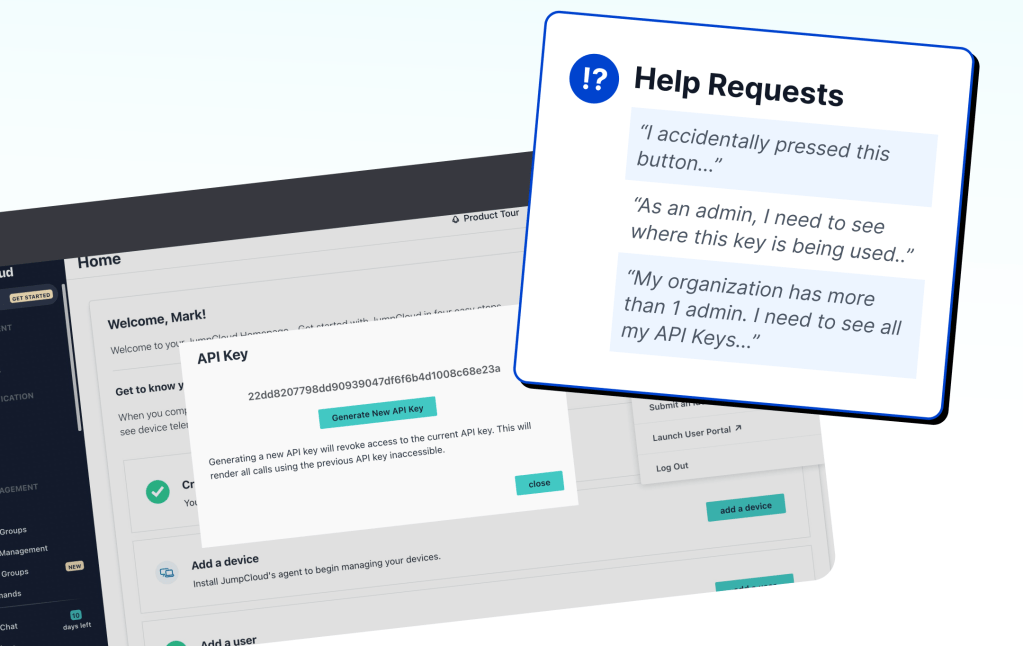
- Diagramming customer submitted help requests in collaboration with UX Research.
- Interviewing stakeholders & customers to align user needs with deliverables.
🅱️ Findings of Discovery: Prioritizing Deliverables
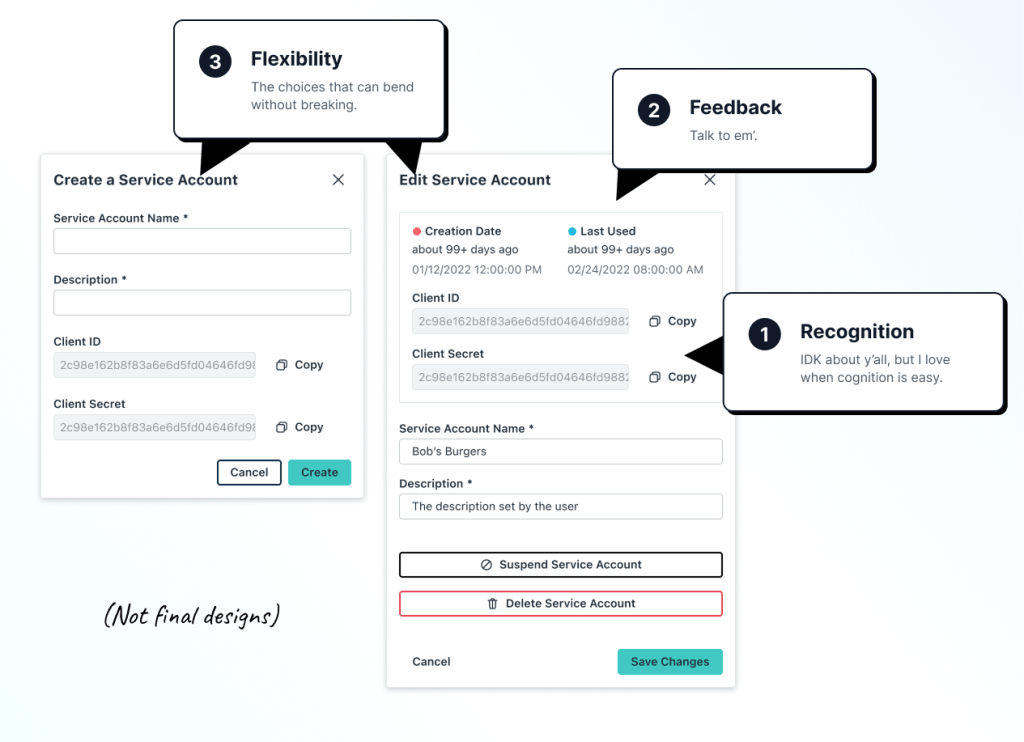
We defined prioritized improvements within heuristic categories, following the trail of customer feedback:
- Recognition: Understanding that most users found API Keys to be pretty technical (and a little scary), we prioritized updating the UI to help cognitive ease.
- Feedback: Almost all users expressed a feeling of confusion around API Key status and usage.
- Flexibility: Especially as organizations grew, they asked for options like add, edit, and disable.
UTILIZING ESTABLISHED PATTERNS
Guiding the design phase to meet project timelines
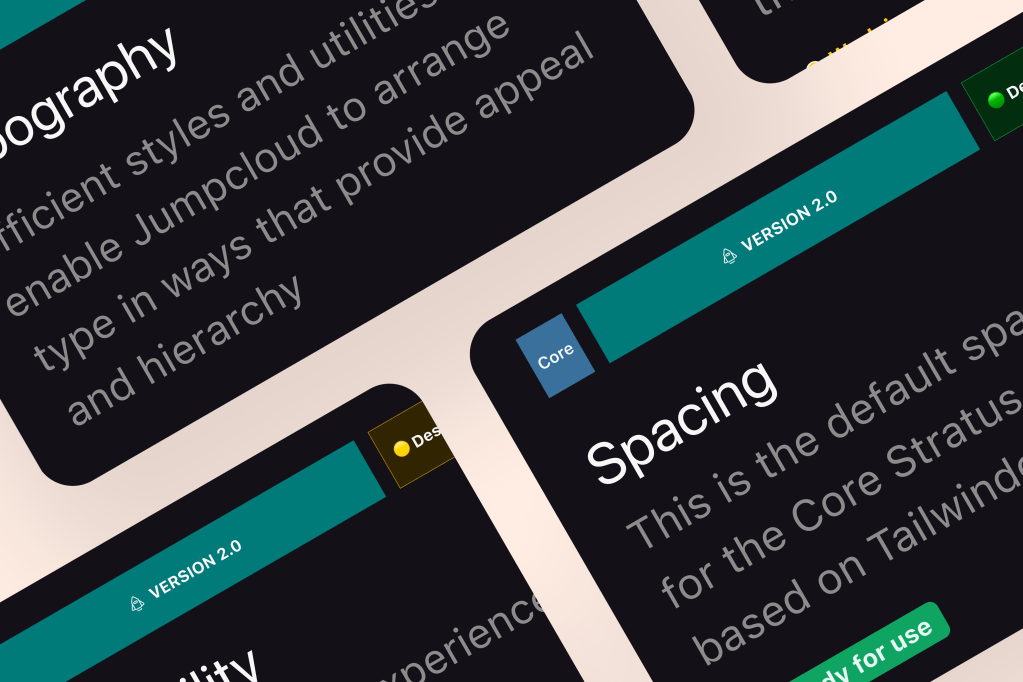
As a founding member of the design system team, I used my design system knowledge to improve project outcomes:
Improved
Admin Portal design system adoption.
Accelerated
Time to delivery, enabled robust and shareable prototyping.
Established
Responsive layouts, informing platform data visualization.
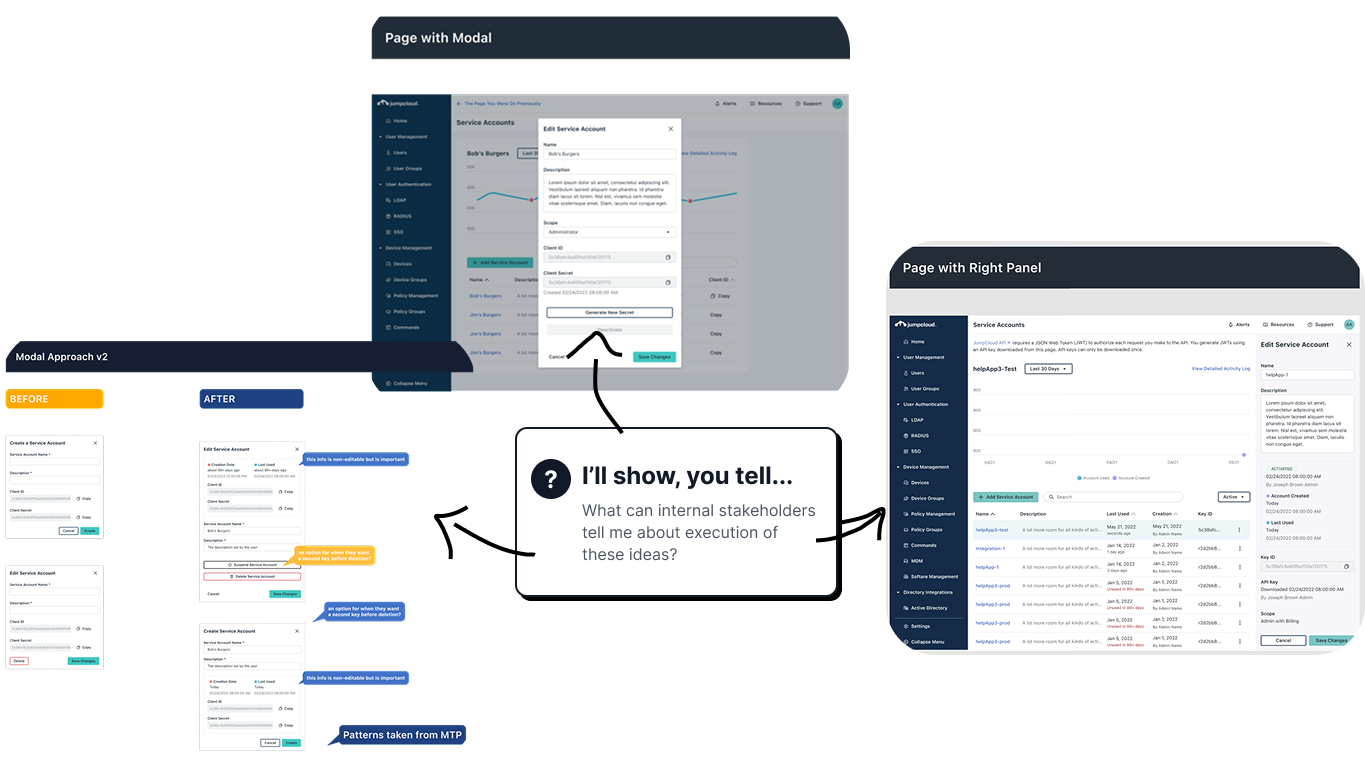
DIVERGENT WIREFRAMES
Higher design fidelity early.
Why? This approach enabled me to ask deeper questions early, avoiding turn arounds later in delivery. By presenting quality visuals of multiple layouts quickly, I showcased what is possible, garnered critical feedback on business priorities, and uncovered UI architecture complexity like scalability and tie-ins to back-end data.

PROJECT OUTCOMES
Scalable API framework to support custom workflows, integrations, & specialized tasks.
Customer Expand Rates
API Key tracking & editing is a single, scalable, left-nav feature that users can expand to in their subscription.
100%
Design system compliant, moving the needle for the organization getting closer to full “Stratus” adoption.
Usability
Increased for “User Lifecycle Management” SKU increased, reducing the risk of customer churn for “Platform” Subscribers.
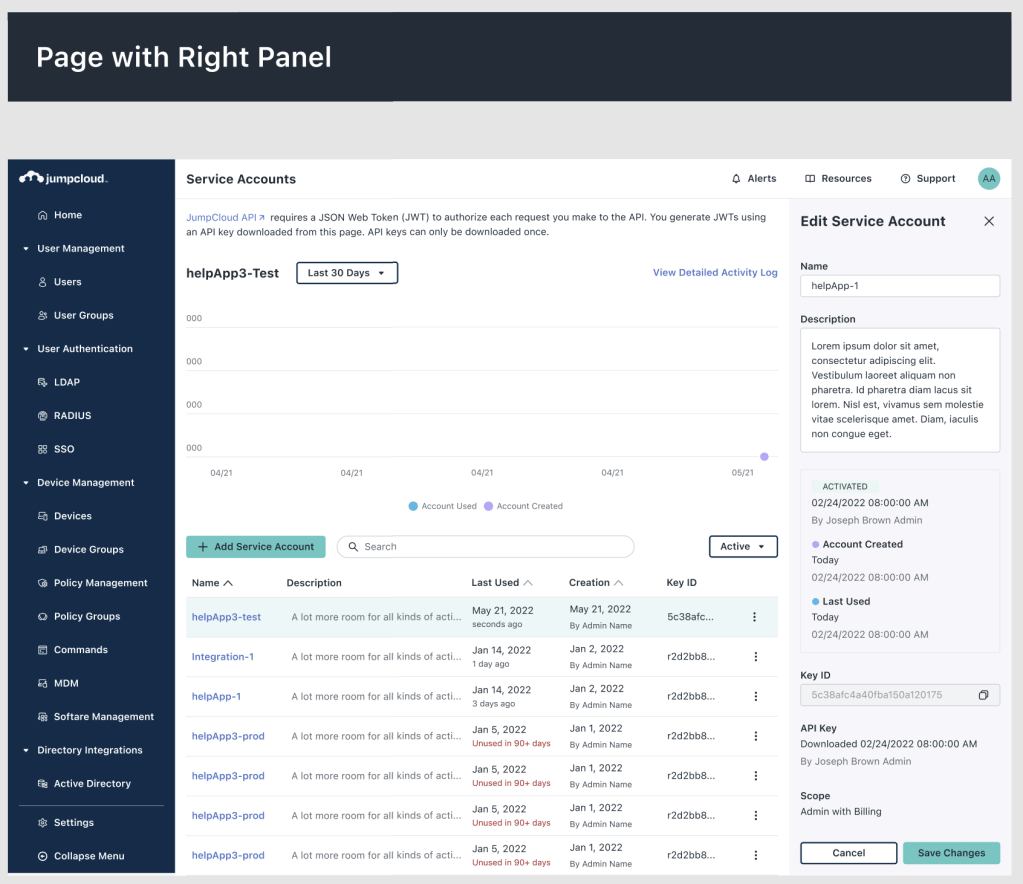
A home for API Keys that scales with organizations as they grow:
- Customers need more extensive API services as they grow.
- Users can now recognize issues and perform quick actions no matter their org size.
Why?
Customers primarily value an efficient way to find and review the usage of their keys. We offered a solution that increased renew/expand rates.
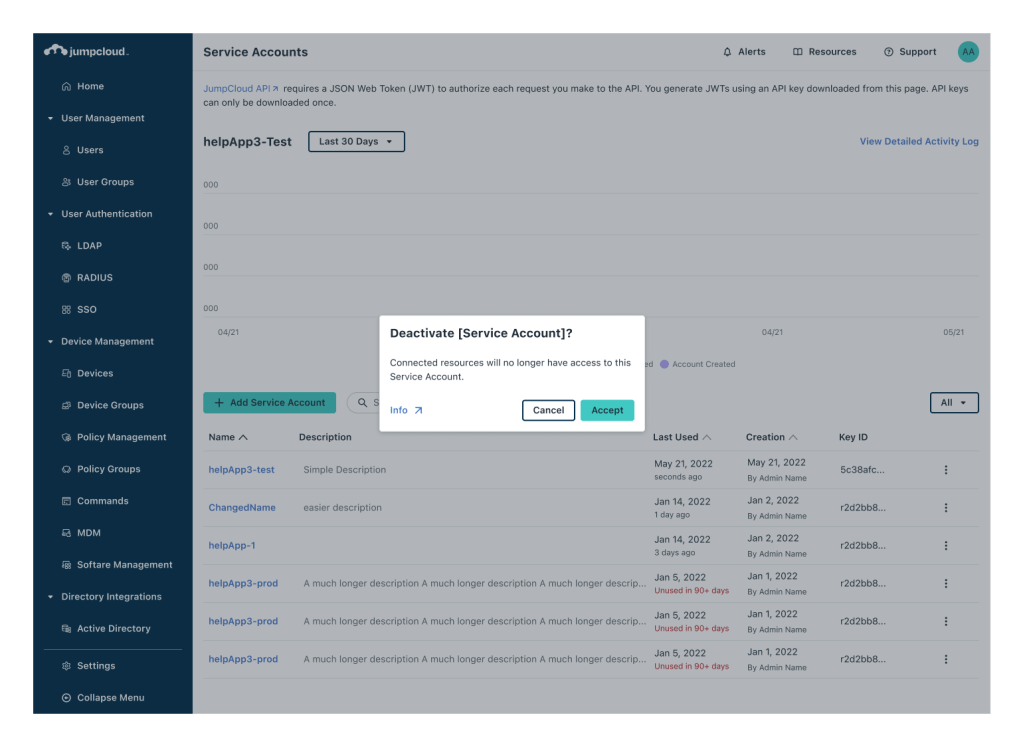
User-friendly interactions with API Keys:
- Customers expressed fear of breaking things while interacting with their API Keys
- Users receive feedback when taking action, including quick access to documentation.
Why?
Customers wanted to be confident in their decisions. We offered a solution that utilized feedback and recognition rather than recall to increase usability.
A view of the designs in action (press ▶️).
More Reading: Design System Case Study
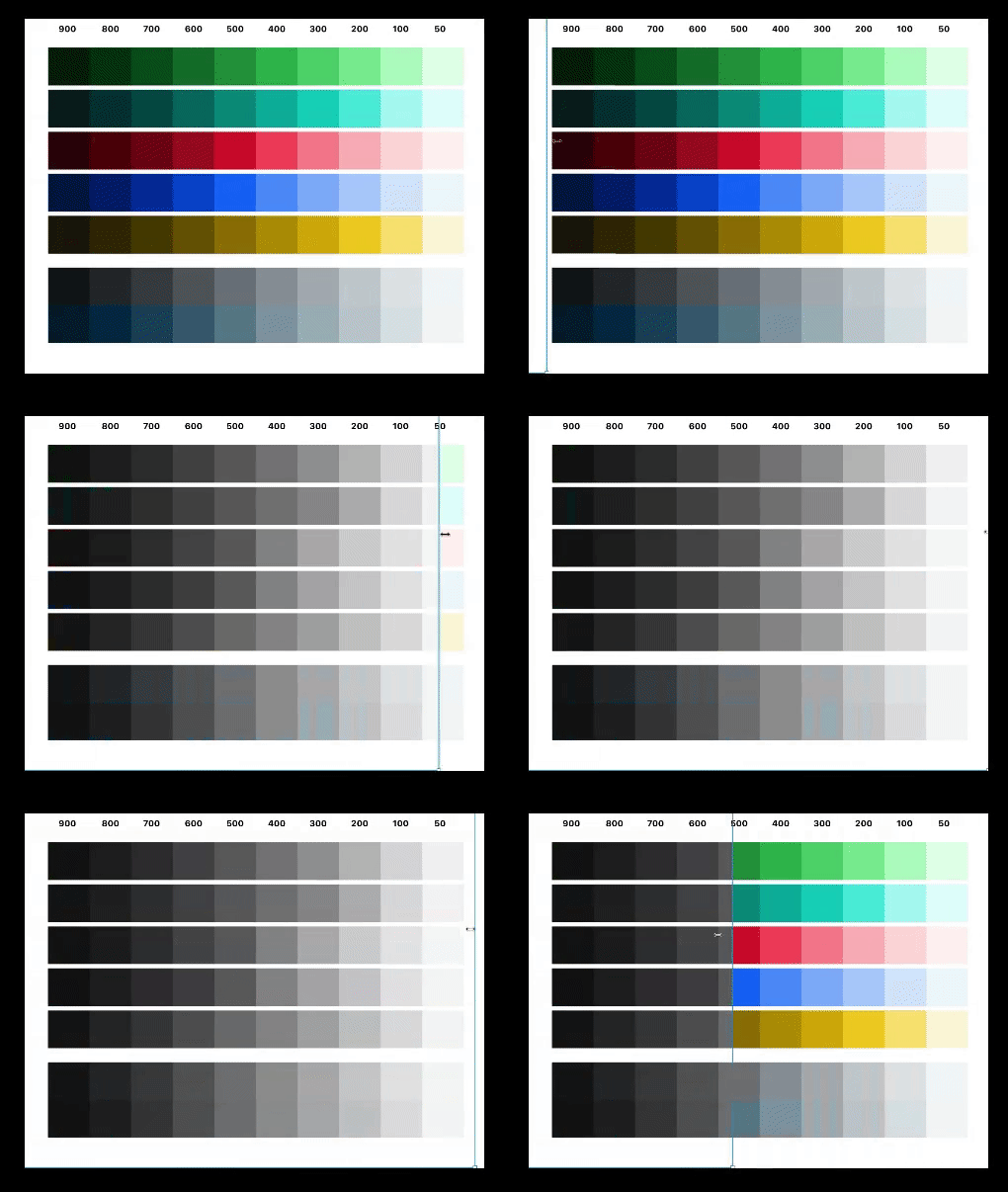
As one of the Design System founders, I stepped up to lead the next evolution: Version 2.0. This version prioritized scalability, clarity of application, and inclusivity for accessibility and broader team ownership.
 Arjuna Leri